Meta Title vs H1: Key Differences and SEO Best Practices
BYIzhar Ul Haq
•2026-09-23•6 min read
Table of Contents (15 sections)Show ↓Hide ↑
Meta Title vs H1: What Is the Difference?
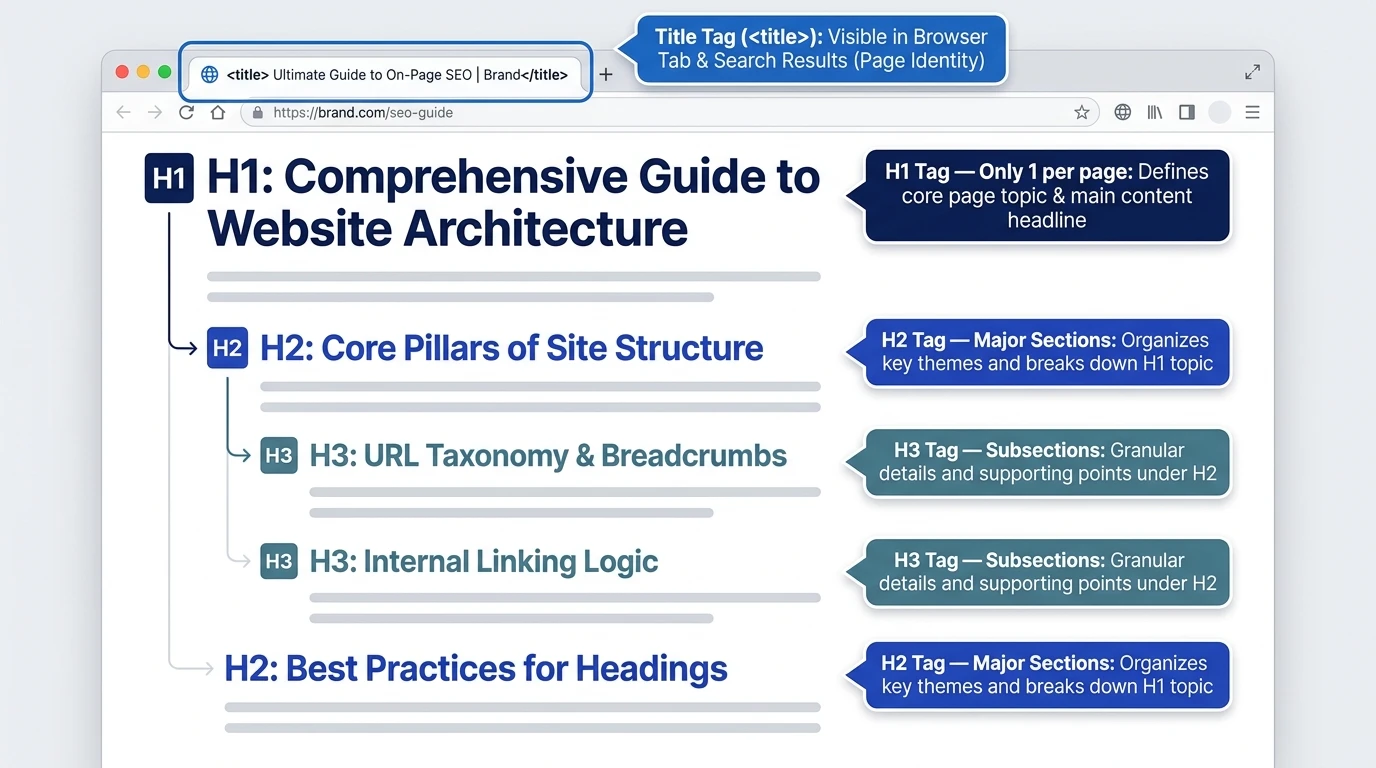
Content creators and SEO specialists can sometimes get confused between the difference between meta title vs H1. These two elements will describe a web page, but they are for different purposes. Meta title or title tag, SEO title - displays in search results and browser tabs. The top heading on the page is an H1.
These elements may be identical but cannot be substituted for one another. The title tag is important for search engines and users because it gives them an idea of what they will find on the page before they visit it. You can also use a Meta Title Length Checker to check whether your title is concise and suitable for search results, while the H1 tag tells visitors what they will find after they arrive. There is a clear connection between the two that can enhance relevance, usability and content organization.
3. What is a Meta Description?
Meta title (HTML title element): A title element used in the HTML for the title of a webpage. It is often used as the clickable headline in the search results that will appear in search engine results, though sometimes Google might generate a different title link based on other information on the page.
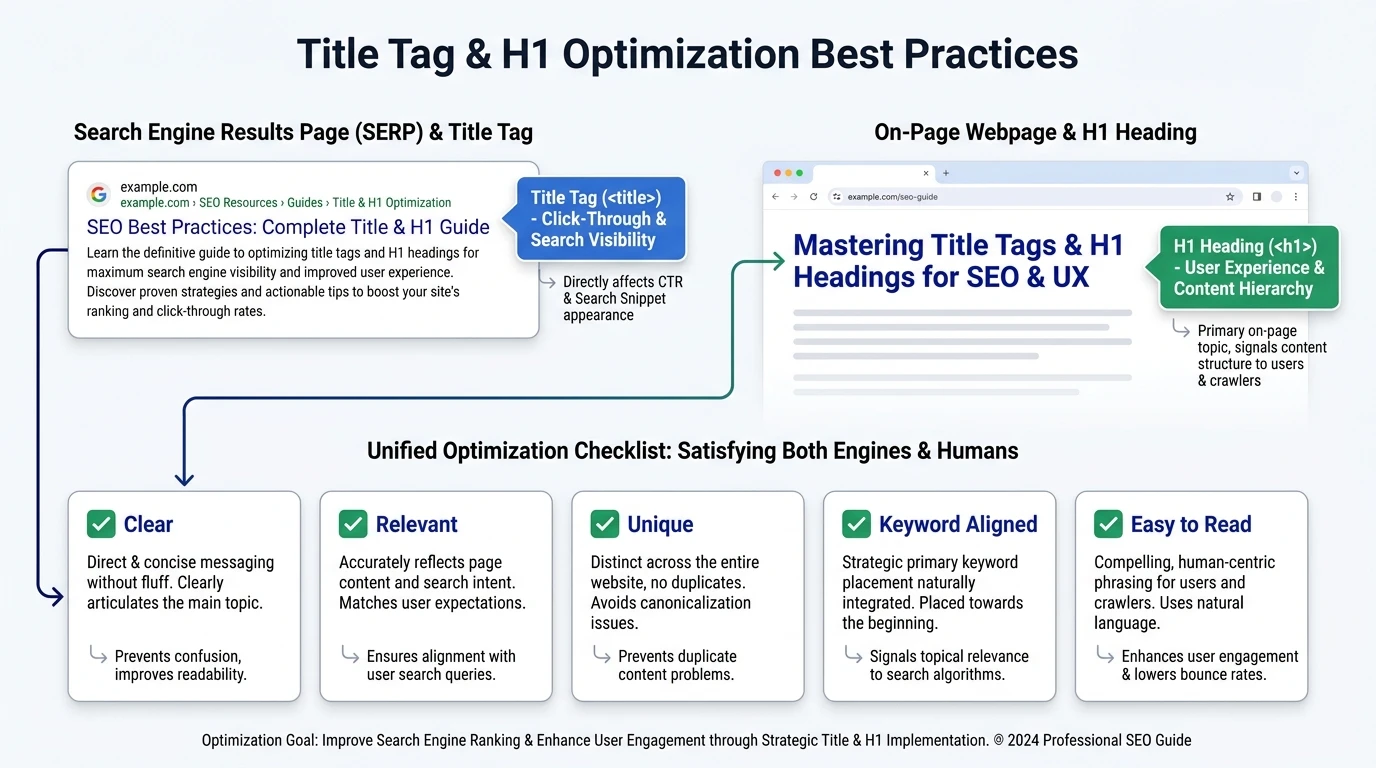
The title tag should clearly represent the page, meet search intent and motivate qualified visitors to click. It also shows in browser tabs and can be leveraged when someone shares the page via some platforms.
Main Purpose of a Title Tag
The title tag is a crucial element that enables users to determine if a search result will answer their query. But it also provides some useful information to search engines regarding the page topic. Google says that you should create unique, descriptive, and short titles, but not "stuff" keywords into them and repeat boilerplate phrases.
For example:
The H1 tag is crucial for search engines. The H1 tag is a critical element for search engines.
The major topic is in this title and it conveys the purpose of the page.
What is an H1 Heading?
The main heading of a web page is an H1 element. It raises the topic of the page and guides visitors to its contents. An H1 will show up in the main content area, unlike the title tag.
A good H1 will reflect the main topic of the page. It must flow well, be immediately understandable and take the reader through the content. In general, it's best to have one solid H1 heading per page and then use H2 and H3 headings to structure supporting content.
Example of an H1
<h1>Meta Title vs H1: Understanding the Key Differences</h1>
The title of this section is clearly displayed after the visitor opens the page. It can be very similar to the title tag but it doesn't have to be exactly the same.
Title Tag vs H1: Key Differences The main difference between a title tag and H1 is their location and audience. The main goal of a title tag is to attract search users and search engines before they visit the page, while an H1 tag attracts visitors to the page.
Feature
Title tag
H1 heading
Location
HTML head section
Visible page content
Search appearance
Often appears as the clickable result title
Usually does not appear directly in search results
Main audience
Search users and search engines
Website visitors
Primary function
Attract clicks and describe the result
Introduce and structure the page
Recommended focus
Search intent and concise wording
Clarity and reader experience
If the title tag is unclear, misleading, old or inconsistent with the page, Google will use the H1 or other prominent text on the page to create a title link. Hence, they are required to express the same topic and purpose.
Should there be a match between SEO Title/ H1?
The SEO title and H1 doesn't have to be exactly the same. However, they should be very close to each other. Considerable variations can cause confusion to users, diminish topical consistency, and raise the chance that Google rewrites the title link.
For example:
Title tag: Meta Title vs H1: Key Differences for SEO
H1: Meta Title vs H1: How They Work Together
The versions are all about the same topic, but with slightly different wording in the search result and page introduction. This way there will be no confusion from unnecessary repetition.
Best Practices: H1 vs Title Tag Write for the Same Search Intent
Both of them should satisfy a user need. If the title tag says it's a comparison, the H1 should start a comparison, not a general SEO guide.
Use the Primary Keyword Naturally
Use the primary keyword in a natural manner. Don't over-optimize “meta title vs H1” multiple times in an unnatural manner. Google recommends using keywords sparingly as it will not only make the content less readable, but it will also be a poor user experience.
Keep Titles Clear and Concise
Long title tags can be shortened by search engines in the result. A reasonable length is about 50 to 60 characters, but this is dependent on how wide a device is and on the wording. The title should convey value before the end of the visible text.
Develop One Strong H1
A single main H1 to indicate the subject of the page. Headings should be used for major sections (H2) and supporting points (H3). This hierarchy makes content easier to scan and allows readers to find specific information.
Avoid Duplicate Elements
All pages that are important should include a distinct title tag and a relevant H1. When duplicate titles exist on pages, they can make it look like this is the same page and diminish targeting different search intents.
Common Mistakes to Avoid
The most frequent mistakes are: having the same generic title for many pages, stuffing keywords into the title tag that aren't relevant, having too many H1s without purpose, and having an H1 that doesn't match the promise of the search results.
The other error is to write a title tag for rankings. It's not just about the keywords—the searchers need to know the value of clicking; clarity and accuracy is important. Google suggests using different descriptions and short titles that are accurate and represent the content of each page.
Conclusion
The title tag and the H1 do different, but related, search engine optimization tasks. The title tag will catch the eye in search results, and the H1 will help to direct the user once they've arrived on a page. When optimization is strong, maintain differences in both, but they must be both descriptive and readable, and share the same intent or search goal. A uniform TITLE TAG and H1 combination makes content clearer and gives better user and search engine experience.

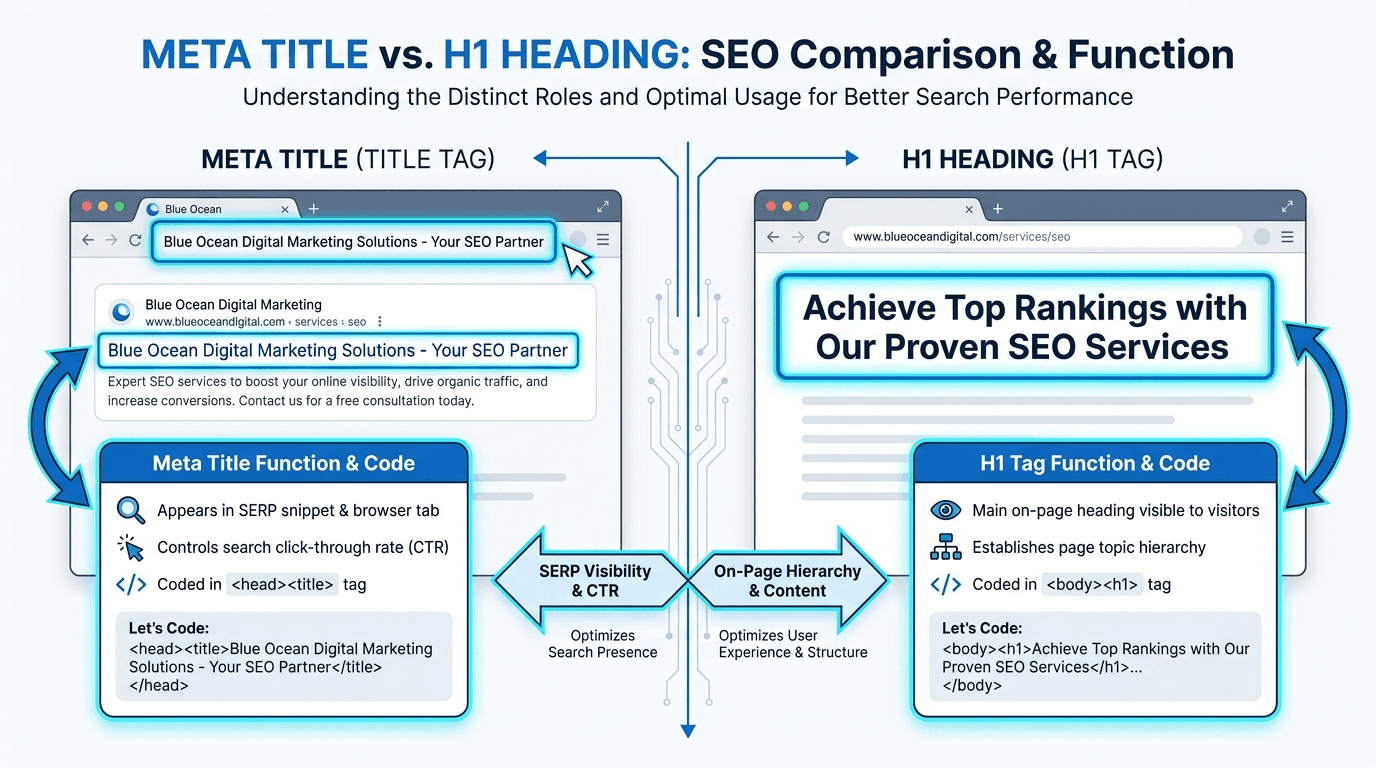
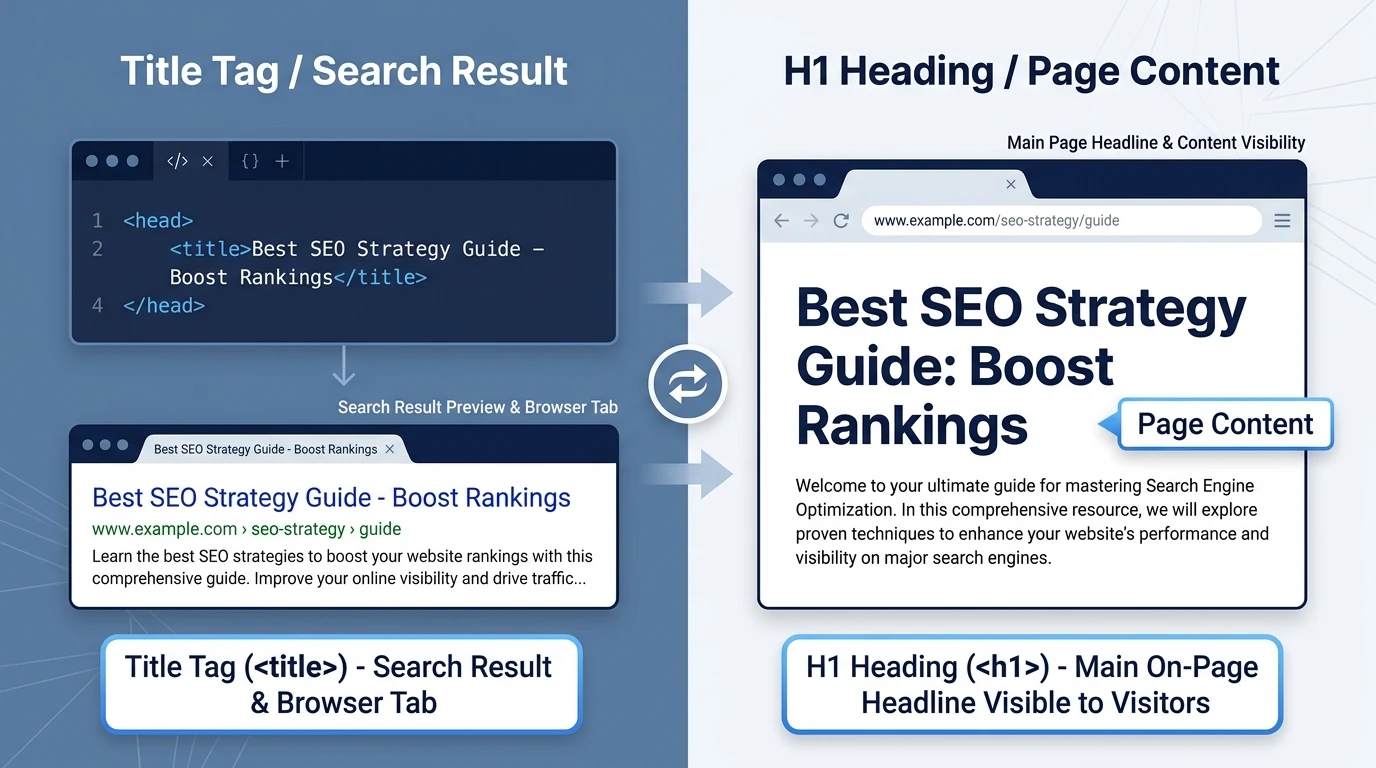 The main difference between a title tag and H1 is their location and audience. The main goal of a title tag is to attract search users and search engines before they visit the page, while an H1 tag attracts visitors to the page.
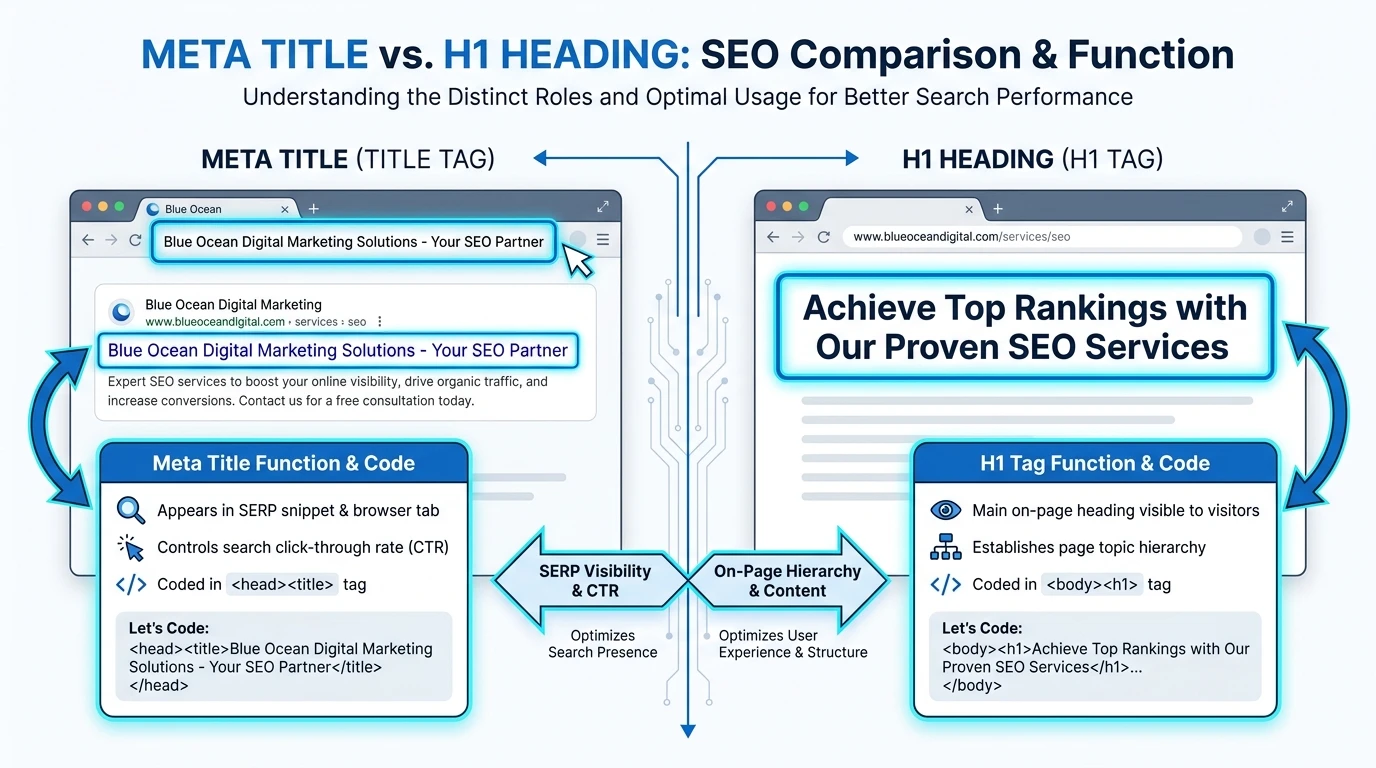
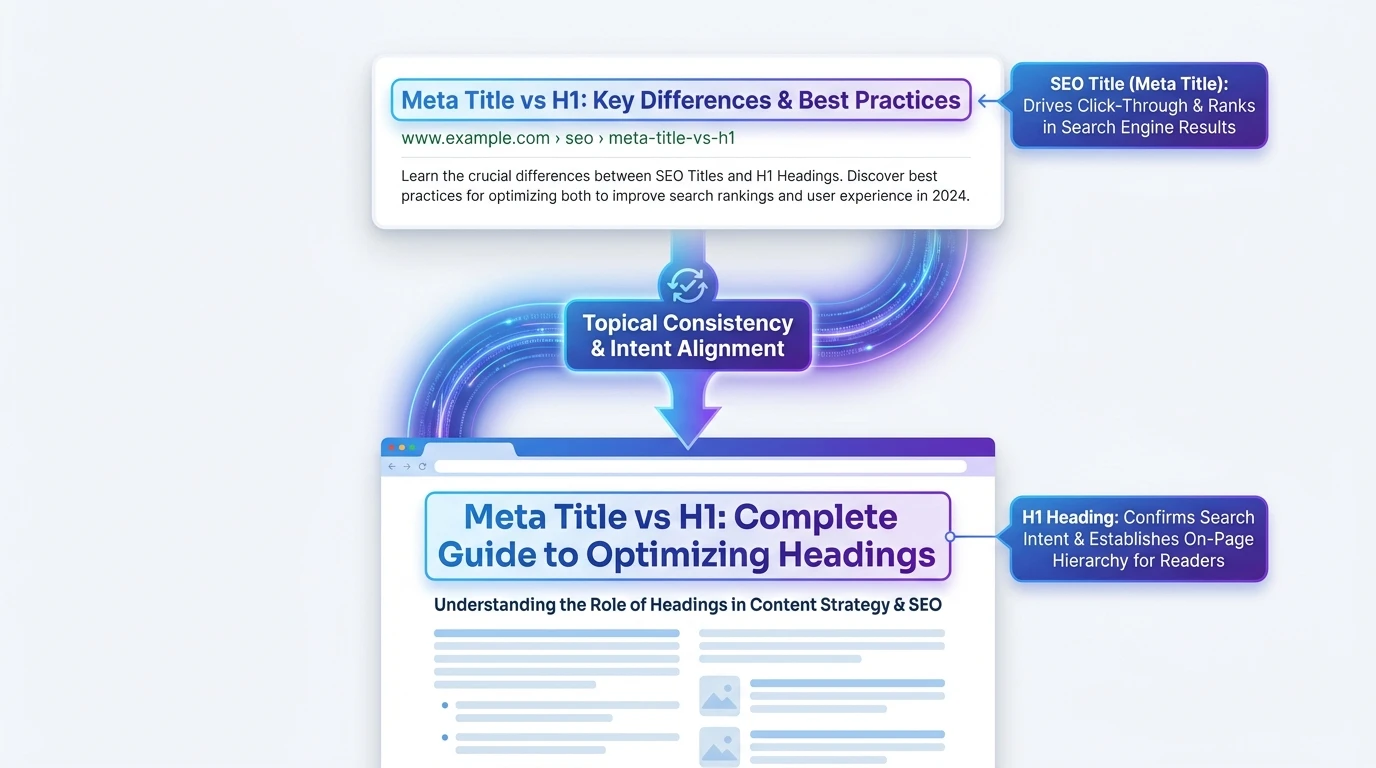 The SEO title and H1 doesn't have to be exactly the same. However, they should be very close to each other. Considerable variations can cause confusion to users, diminish topical consistency, and raise the chance that Google rewrites the title link.